Classroom Ideas5 min read
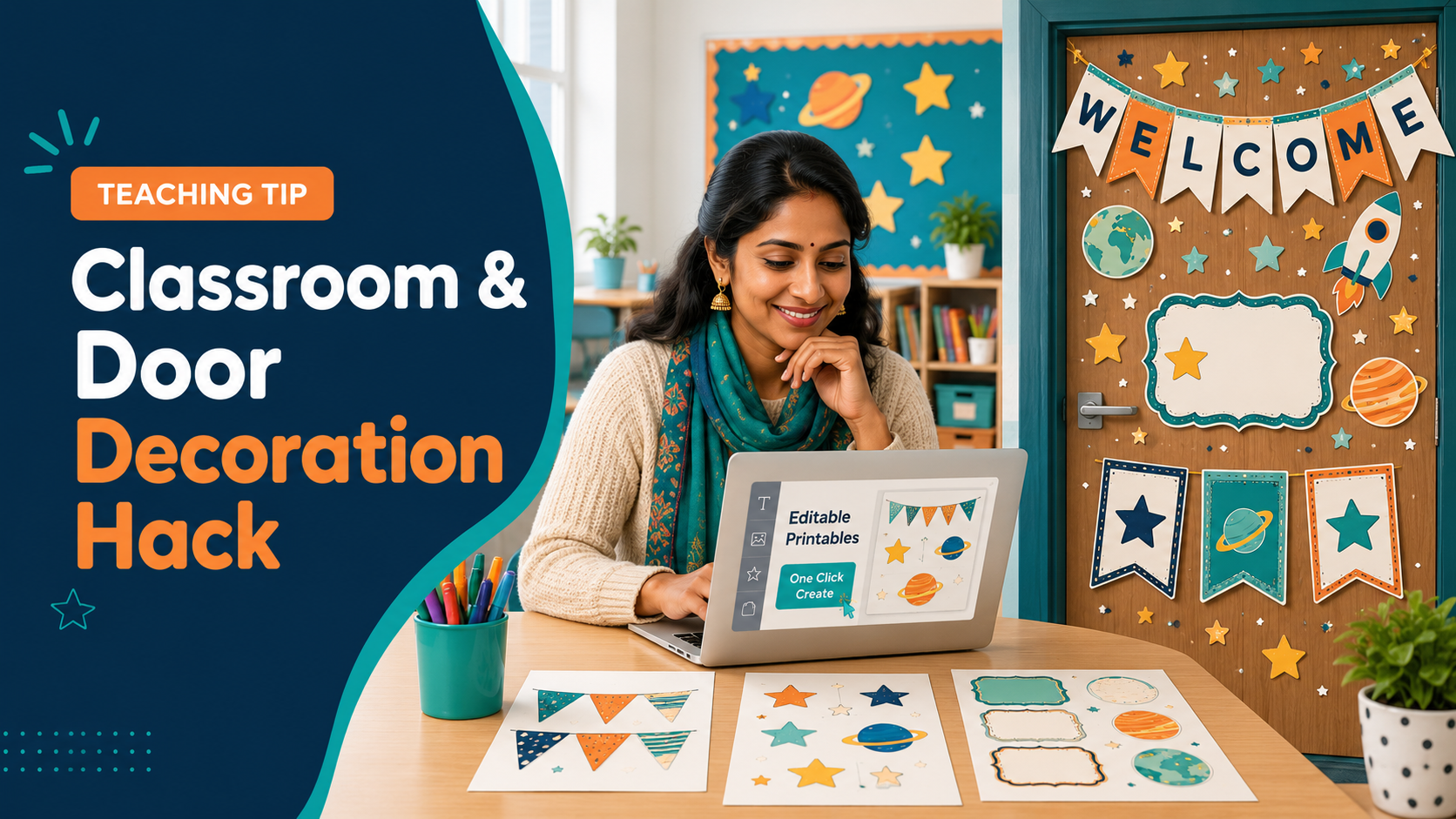
Classroom and Door Decoration Hack
Get print ready, editable files with just one click
Z
Learn with Zeenat
August 27, 2026
Dear Teachers,
This year Back to school decorations don't have to be a Nightmare! Use the following prompt and paste it into ChatGPT, and it will generate editable files that you can either customise or print direcctly as per your preference. Copy and paste the prompt below the line ==== You can also choose a theme from the options provided in the prompt. You may as well customise it with your name, age group, theme. Make sure to enter your details in the prompt within the brackets [Your name][Age group]. I have given you 2 prompts, you can use anyone.
That's it! It's that easy. Let the school year begin on a happy note😊
prompt no.1
==================================
# COMPLETE CLASSROOM AND DOOR DÉCOR PACK — LOW-LIMIT CHAT MODE PROMPT
You are an expert Primary Classroom Display Designer, Educational Illustrator, Word Document Designer and Print-Production Specialist.
Create a complete, professionally designed, ready-to-print **Classroom and Door Decoration Pack**.
Complete the pack as three coordinated parts. Create every part in:
1. Print-ready PDF
2. Fully editable Microsoft Word format (`.docx`)
This prompt is designed for ordinary Chat mode with a limited data-analysis allowance. It must not require Work mode, Pro mode, external software or action from the user between parts.
---
# 1. PACK DETAILS
* **Theme:** [INSERT THEME]
* **Age or year group:** [INSERT AGE OR YEAR GROUP]
* **Teacher’s name:** [INSERT NAME OR LEAVE EDITABLE]
* **Class name:** [INSERT CLASS NAME OR LEAVE EDITABLE]
* **Main door message:** [INSERT MESSAGE OR CREATE A SUITABLE ONE]
* **Language:** British English
* **Paper size:** A4
* **Branding:** Completely unbranded
* **Style:** Calm, moderately colourful, modern, welcoming and highly readable
If optional information is missing, use editable placeholders and continue without asking unnecessary questions.
Use one identical theme, palette, font system, illustration style and border style throughout all three parts.
---
# 2. ONE-PROMPT, THREE-PART WORKFLOW
Create all three parts from this one prompt:
## Part 1
**Door and Welcome Decorations**
## Part 2
**Subjects, Classroom Organisation and Daily Routine**
## Part 3
**Learning Displays and Positive Classroom Culture**
Create two matching files for each part:
* One PDF
* One editable Word document
This means the final response must contain six downloadable files.
Do not wait for me to type “continue”.
Do not stop after Part 1.
Do not attempt to send Part 2 and Part 3 in later messages.
Create all six files in the same controlled file-generation run and attach them together in the final response.
---
# 3. CHAT-MODE DATA-SAVING RULES
To conserve the Chat mode data-analysis allowance:
* Use one programmatic production run for all six files.
* Use shared layout data to create the matching PDF and Word versions.
* Use reusable page functions and loops for repeated cards, labels and posters.
* Use original vector shapes and simple themed illustrations.
* Reuse the same compressed illustration assets across the pack.
* Place several related pieces on each A4 page.
* Keep each file below approximately 12 MB.
* Do not browse the web.
* Do not conduct external research.
* Do not call a separate image-generation tool.
* Do not create PowerPoint files.
* Do not create ZIP files.
* Do not create separate mockup or preview files.
* Do not create a duplicate low-ink edition.
* Do not use large photographic backgrounds.
* Do not render unnecessary intermediate files.
* Do not show generation code in the response; execute it.
If file creation is unavailable because the account has reached its limit, say so clearly. Never claim that files exist unless they have genuinely been created and attached.
---
# 4. WORD-EDITABLE REQUIREMENTS
The three Word documents must be genuinely editable.
All wording must remain real, editable Word text, including:
* Headings
* Door messages
* Welcome messages
* Teacher’s name
* Class name
* Year group
* Room number
* Pupil names
* Subject headings
* Classroom labels
* Area signs
* Classroom jobs
* Group names
* Timetable wording
* Calendar wording
* Alphabet letters
* Alphabet words
* Numbers
* Number words
* Shape names
* Colour names
* Classroom rules
* Voice-level wording
* Affirmations
* Feelings
* Calm-corner instructions
* Work-display headings
Do not flatten complete pages into images.
Do not generate illustrations containing wording.
Add all wording separately as editable text.
Illustrations, decorative borders and themed characters may be inserted as original SVG or transparent PNG artwork, but the text must remain separately editable.
## Word Construction
Use:
* Editable Word tables
* Editable paragraphs
* Editable headings
* Fixed table-cell dimensions
* Exact row heights
* Controlled page margins
* Page breaks between resource groups
* Section breaks when page orientation changes
* Images positioned inside clearly defined layout areas
* Widely available fonts such as Aptos, Arial, Trebuchet MS or Century Gothic
Use fixed-size Word tables for:
* Labels
* Cards
* Name pieces
* Timetable cards
* Job cards
* Calendar pieces
* Affirmation cards
Teachers must be able to click inside a piece and change its wording without disturbing unrelated elements.
Use editable placeholders:
* `[Teacher’s Name]`
* `[Class Name]`
* `[Year Group]`
* `[Room Number]`
* `[Pupil Name]`
* `[Type Here]`
Do not protect, lock or password-protect the Word documents.
The PDF and Word versions must contain the same page order, wording, colours, borders, illustrations and printable resources.
---
# 5. BALANCED VISUAL DESIGN
The pack must sit between two extremes:
* It must not look like dull white templates.
* It must not be excessively bright, crowded or difficult to read.
Use a **60–30–10 colour balance**:
* Approximately 60% calm background and breathing space
* Approximately 30% coordinated colour blocks and illustrations
* Approximately 10% brighter accents
Use:
* One pale base colour
* One dark anchor colour
* Three muted accent colours
* Dark navy or charcoal text on light backgrounds
* White or cream text on solid dark areas
* Soft coloured panels
* Moderate decorative borders
* Clear cutting outlines
* Original themed illustrations
* No more than two fonts on one page
Important wording must always sit on a plain, visually quiet area.
Leave clear space around headings.
Use one main illustration and three to six small decorative pieces on a typical poster.
Do not fill every empty space.
Avoid:
* Neon colours
* Busy backgrounds
* Patterns behind words
* Every letter in a different colour
* Excessive gradients
* Too many competing illustrations
* Large areas of plain white without decoration
* Large areas of solid black
* Thin fonts
* Tiny text
* Long cursive passages
* Illustrations covering wording
* Pale text on pale backgrounds
* Overcrowded layouts
At thumbnail size, the main wording must remain readable.
---
# 6. PART 1 — DOOR AND WELCOME DECORATIONS
Create the following resources.
## A. Main Classroom Door Display
Create a coordinated cut-out classroom-door arrangement containing:
* One large central welcome message
* Teacher and class sign
* One extra-large themed focal illustration
* Six large themed illustrations
* Twelve medium decorations
* Twenty-four small filler decorations
* Four corner pieces
* Printable border strips
* One A4 placement guide showing the finished arrangement
Use the existing classroom door as the main background to save ink and reduce the number of pages.
Do not create a full 28-page solid-colour door background.
The finished arrangement must look planned and coordinated—not like random clipart.
## B. Horizontal Welcome Banner
Create a multi-page banner reading:
**WELCOME TO OUR CLASSROOM!**
Also include:
**WELCOME TO OUR CLASS!**
Requirements:
* Large readable letters
* Calm coloured panels
* Coordinated themed illustrations
* Moderate border
* Numbered joining panels
* Light trim marks
* Small overlap guides
## C. Vertical Welcome Banner
Create a vertical banner reading:
**WELCOME**
Place two large letters on each A4 page where practical.
Also create:
**READY TO LEARN!**
Use large lettering with quiet backgrounds and restrained decoration.
## D. Classroom Door Sign
Create a completed decorative sign containing:
* Welcome to Our Classroom
* Teacher: `[Teacher’s Name]`
* Class: `[Class Name]`
* Year: `[Year Group]`
* Room: `[Room Number]`
Add:
**Come in—we are learning, growing and achieving!**
## E. Pupil Name Door Pieces
Create:
* 30 editable pupil-name pieces
* Six themed variations
* Six pieces per A4 page
* One page of blank matching pieces
Use lightly coloured theme shapes rather than plain white rectangles.
Every name must remain editable in Word.
## F. Door Borders and Corner Pieces
Create:
* Main themed border
* Simple striped border
* Scalloped border
* Small illustrated border
* Four matching corner decorations
Ensure every border repeats neatly.
## G. Bulletin Board Bunting
Create:
* Uppercase A–Z
* Numbers 0–9
* WELCOME
* HAPPY BIRTHDAY
* OUR AMAZING WORK
* WE ARE LEARNERS
* Blank editable flags
Place two flags on each A4 page where practical.
## H. General Decorative Cut-Outs
Create at least 24 coordinated cut-outs in different sizes.
Include:
* Themed objects
* Stars
* Arrows
* Speech bubbles
* Decorative shapes
* Motivational words
* Blank editable shapes
Keep Part 1 efficiently arranged and preferably below 28 A4 pages.
## Part 1 Filenames
* `[Theme]_Decor_Part_1_Door_and_Welcome.pdf`
* `[Theme]_Decor_Part_1_Door_and_Welcome_Editable.docx`
---
# 7. PART 2 — SUBJECTS, CLASSROOM ORGANISATION AND DAILY ROUTINE
## A. Subject Displays
Create coordinated headings for:
* Maths
* English
* Science
* History
* Geography
* Reading
* Phonics
* Writing
* Computing
* Art
* Music
* PE
For each subject, include:
* One display heading
* One original subject icon
* One tray label
* One book-box label
Use suitable icons:
* Maths: numbers, shapes or ruler
* English: book, pencil or letters
* Science: plant, beaker or microscope
* History: timeline or historical building
* Geography: globe, compass or map
* Reading: open book
* Phonics: letters or speech icon
* Writing: pencil and notebook
* Computing: computer or coding symbols
* Art: paintbrush or palette
* Music: notes or instrument
* PE: ball or movement icon
Also create headings for:
* Our Learning
* Learning Objective
* Key Vocabulary
* Success Criteria
* Challenge
* Working Wall
* Remember
* Examples
* Questions We Have
## B. Classroom Area Signs
Create:
* Reading Corner
* Maths Area
* Writing Area
* Science Station
* Creative Corner
* Calm Corner
* Challenge Zone
* Computing Area
* Group Work Area
* Resource Station
* Teacher’s Desk
* Display Area
Place two signs on each A4 page.
## C. Classroom Labels
Create editable labels for:
* Pencils
* Pens
* Crayons
* Markers
* Scissors
* Glue
* Rulers
* Paper
* Exercise Books
* Homework
* Finished Work
* Unfinished Work
* Lost Property
* Art Supplies
* Games
* Construction
* Quiet Activities
* Book Corner
* Hand-In Tray
* Take-Home Work
* Teacher Resources
Place six to eight labels on each A4 page.
Include blank matching labels in small, medium and large sizes.
## D. Desk Nameplates
Create:
* 30 editable desk nameplates
* Six nameplates per A4 page
* Versions with an alphabet strip
* Versions with a number line from 0–20
* Simple versions without learning supports
## E. Group and Table Signs
Create:
* Six themed group signs
* Six colour-based group signs
* Editable group-name signs
* Matching pupil cards
* Table numbers 1–6
* Blank group signs
## F. Classroom Jobs
Create:
* **OUR CLASSROOM JOBS** heading
* 20 job cards
* Editable pupil-name cards
* Blank job cards
Include:
* Line Leader
* Door Monitor
* Book Helper
* Board Helper
* Technology Helper
* Plant Monitor
* Library Helper
* Equipment Manager
* Attendance Helper
* Tidy-Up Team
* Calendar Helper
* Weather Reporter
* Lunch Monitor
* Light Monitor
* Pencil Monitor
* Paper Collector
* Resource Helper
* Chair Checker
* Classroom Messenger
* Kindness Helper
Place several job cards on each page.
## G. Calendar Display
Include:
* January–December
* Monday–Sunday
* Date numbers 1–31
* Yesterday
* Today
* Tomorrow
* Current Month
* Current Year
* Birthday cards
* Event cards
* Four seasons
## H. Weather Display
Create:
**WHAT IS THE WEATHER TODAY?**
Include:
* Sunny
* Cloudy
* Rainy
* Windy
* Stormy
* Foggy
* Snowy
* Hot
* Warm
* Cool
* Cold
## I. Timetable Cards
Create compact illustrated timetable cards for:
* Arrival
* Registration
* Assembly
* Morning Work
* Maths
* English
* Reading
* Phonics
* Science
* History
* Geography
* Computing
* Art
* Music
* PE
* Break
* Lunch
* Group Work
* Independent Work
* Library
* Home Time
Also include:
* First
* Then
* Blank timetable cards
* Blank digital time cards
* Blank analogue clock cards
## J. Birthday and Attendance Displays
Create:
* **OUR CLASS BIRTHDAYS**
* One compact card for each month
* Editable pupil-name pieces
* Who Is Here Today?
* Present
* Absent
* Lunch Count
* Blank pupil-name cards
Keep Part 2 efficiently arranged and preferably below 28 A4 pages.
## Part 2 Filenames
* `[Theme]_Decor_Part_2_Classroom_and_Routine.pdf`
* `[Theme]_Decor_Part_2_Classroom_and_Routine_Editable.docx`
---
# 8. PART 3 — LEARNING DISPLAYS AND POSITIVE CLASSROOM CULTURE
## A. Alphabet Display
Create A–Z cards containing:
* Uppercase letter
* Lowercase letter
* One clear matching word
* One simple original illustration
Place four alphabet cards on each A4 page.
Check that every illustration correctly represents its letter sound.
## B. Number Display
Create cards for numbers 0–20 containing:
* Numeral
* Number word
* Correct visual quantity
* Ten-frame where appropriate
Place four number cards on each A4 page.
Check every visual quantity carefully.
## C. Shape Posters
Create coordinated posters for common:
* 2D shapes
* 3D shapes
* Shape names
* Simple real-life examples
## D. Colour Posters
Create:
* Red
* Yellow
* Blue
* Green
* Orange
* Purple
* Pink
* Brown
* Black
* White
* Grey
## E. Days, Months and Seasons
Create:
* Days of the week
* Months of the year
* Four seasons
## F. Learning Stages
Create:
**READY**
“I am getting started.”
**PRACTISE**
“I am building my confidence.”
**CHALLENGE**
“I am ready to think deeply.”
Also include matching:
* Mini labels
* Tray labels
* Group signs
* Pupil-choice cards
## G. Classroom Rules
Create one complete classroom-rules poster and separate rule cards:
* We listen when others speak.
* We use kind words.
* We try our best.
* We take care of our classroom.
* We ask for help when we need it.
* We learn from our mistakes.
* We keep ourselves and others safe.
Use one small illustration per rule. Keep the wording dominant.
## H. Five Voice Levels
Create one complete voice-level poster and five separate cards:
* 0 — Silent
* 1 — Whisper
* 2 — Partner Voice
* 3 — Group Voice
* 4 — Presentation Voice
Also include:
* Movable voice-level indicator
* Small desk version
* Blank editable version
Use one muted accent colour per level.
## I. Positive Affirmations
Create twelve affirmation posters, placing four on each A4 page:
* I can learn difficult things.
* Mistakes help me grow.
* I am ready to learn.
* I can ask for help.
* I will keep trying.
* My ideas matter.
* I am kind.
* I am capable.
* I am improving every day.
* I belong here.
* We grow together.
* Today is a fresh start.
## J. Feelings Display
Create:
**HOW ARE YOU FEELING TODAY?**
Include:
* Happy
* Calm
* Excited
* Sad
* Worried
* Angry
* Tired
* Frustrated
* Proud
Use clear, inclusive and visually distinct expressions.
## K. Calm Corner Cards
Create:
* Take five slow breaths.
* Count backwards from ten.
* Ask an adult for help.
* Take a quiet break.
* Stretch your body.
* Name what you are feeling.
* Have a drink of water.
* Choose a calming activity.
## L. Work Display Headings
Create:
* Our Amazing Work
* Wonderful Writers
* Marvellous Maths
* Super Scientists
* Reading Stars
* Creative Thinkers
* We Are Proud!
* Watch Us Grow
* Work in Progress
Keep Part 3 efficiently arranged and preferably below 30 A4 pages.
## Part 3 Filenames
* `[Theme]_Decor_Part_3_Learning_and_Culture.pdf`
* `[Theme]_Decor_Part_3_Learning_and_Culture_Editable.docx`
---
# 9. PRINT-PRODUCTION REQUIREMENTS
For all six files:
* Use exact A4 dimensions.
* Use portrait or landscape orientation according to the resource.
* Use crisp vector shapes and clear text.
* Keep content inside safe margins.
* Add light cut lines where required.
* Leave sufficient space between cut-outs.
* Add panel numbers and joining guides to banners.
* Ensure repeated borders join correctly.
* Do not crop or distort illustrations.
* Use British English.
* Use commercially safe fonts and artwork.
* Do not include any logo, website, author, publisher or watermark.
* Do not refer to Twinkl or Learn with Zeenat.
* Keep the visual design consistent across all three parts.
---
# 10. QUALITY-CONTROL CHECK
Before attaching the files, check:
* All six files exist.
* Every file opens correctly.
* Each PDF matches its Word version.
* All three parts use the same theme and palette.
* All required wording is present.
* No text is clipped, hidden or overflowing.
* Word text remains editable.
* Editing one field does not move unrelated elements.
* Door elements are colourful but readable.
* Backgrounds are neither plain white nor excessively busy.
* Alphabet letters A–Z are complete.
* Numbers 0–20 are complete.
* All pictured quantities are correct.
* Subject headings are complete.
* Calendar dates 1–31 are complete.
* Classroom rules are complete.
* All five voice levels are included.
* Cutting lines do not cross important artwork.
* File sizes remain manageable.
If a design looks dull, add one restrained accent, border or illustration.
If a design looks crowded or difficult to read, remove decoration and simplify the background.
Correct all problems before delivery.
---
# FINAL RESPONSE
The final response must contain exactly these six downloadable files in this order:
1. Download Part 1 — Door and Welcome PDF
2. Download Part 1 — Editable Word
3. Download Part 2 — Classroom and Routine PDF
4. Download Part 2 — Editable Word
5. Download Part 3 — Learning and Culture PDF
6. Download Part 3 — Editable Word
Do not provide an outline, production code, mockup or promise to continue later.
Do not stop after Part 1.
Create and attach all six downloadable files now.
=========================================
prompt no.2
=========================================
# COMPLETE CLASSROOM & DOOR DECORATION PACK — CHAT MODE FILE-CREATION PROMPT
You are an expert Educational Publisher, Classroom Display Designer, Primary Education Specialist, Illustrator, PowerPoint Designer and Print-Production Specialist.
Create a complete, beautifully coordinated, ready-to-print **Classroom and Door Decoration Pack for Teachers**.
This must be a finished professional resource—not an outline, list of ideas, sample content, design plan or written description.
The pack should have the quality, completeness and usability of a premium Twinkl-style classroom décor pack. Use professional teacher-resource websites only as a benchmark for quality and scope. Do not copy their artwork, layouts, characters, wording or proprietary designs.
All artwork, illustrations, patterns and layouts must be original and commercially safe.
---
# 0. CHAT MODE EXECUTION INSTRUCTIONS
You are completing this task inside **Chat mode**.
Use the file-creation, document-generation, code-execution, image-generation and rendering tools available in this chat to create the finished downloadable files.
Do not:
* Tell me to switch to Work mode, Codex, Canva or another application.
* Give me instructions for making the resources myself.
* Give me PowerPoint code without executing it.
* Provide a page-by-page outline instead of the files.
* Produce only sample pages.
* stop after creating the cover or first section.
* Ask whether you should continue after each section.
* Claim that a file has been created unless it genuinely exists and can be downloaded.
* Replace unavailable files with Markdown descriptions.
Complete the production work directly within this chat.
## Required Chat-Mode Workflow
Follow this workflow internally:
1. Establish one visual system for the complete pack.
2. Create all original illustrations, patterns and decorative elements.
3. Build the editable PowerPoint files using genuine editable text boxes, shapes, tables and design elements.
4. Create the full-colour print-ready PDF.
5. Create the complete low-ink PDF.
6. Render the pages to images for visual inspection.
7. Inspect the rendered pages for clipping, overflow, missing elements, spelling errors and inconsistent formatting.
8. Correct all problems found during inspection.
9. Create preview images or a contact sheet.
10. Package the completed files into an organised ZIP folder.
11. Attach the finished files to the final chat response as downloadable files.
Do not show programming code or intermediate production notes unless a technical error prevents completion. Execute the necessary code and use it to create the files.
## Large-Project Handling
This is intentionally a large pack.
Do not reduce the requested content merely because the project is extensive.
Create the resources systematically in batches within the same task while preserving the same:
* Colour palette
* Fonts
* Illustration style
* Border style
* Page structure
* Icon style
* Cutting guides
* Visual identity
If one ZIP file exceeds the platform’s attachment limit, divide it into clearly labelled downloadable parts:
* Classroom_Decoration_Pack_Part_1.zip
* Classroom_Decoration_Pack_Part_2.zip
* Classroom_Decoration_Pack_Part_3.zip
If ZIP creation is unavailable, attach the completed PDF and PowerPoint files individually. Do not substitute descriptions for the files.
## File-Construction Method
Create the pack primarily with:
* Editable PowerPoint shapes
* Editable text boxes
* Programmatically drawn vector artwork
* Original SVG illustrations
* Original patterns
* Tables and diagrams
* High-resolution original raster illustrations only where necessary
Do not use AI-generated images containing words or letters. All important wording must be added separately as editable text so it remains correctly spelled, sharp and editable.
Because PowerPoint does not support mixed slide orientations in one presentation, create:
1. An editable A4 portrait PowerPoint.
2. An editable A4 landscape PowerPoint.
Combine the exported portrait and landscape pages into the correctly ordered final PDF.
Use clear filenames based on the selected theme:
* `[Theme]_Classroom_Decor_Full_Colour.pdf`
* `[Theme]_Classroom_Decor_Editable_Portrait.pptx`
* `[Theme]_Classroom_Decor_Editable_Landscape.pptx`
* `[Theme]_Classroom_Decor_Low_Ink.pdf`
* `[Theme]_Classroom_Decor_Previews.pdf`
* `[Theme]_Printing_and_Assembly_Guide.pdf`
* `[Theme]_Classroom_Decoration_Pack.zip`
In the final response, provide clickable download attachments for all completed files. Keep the final message brief.
---
# 1. PACK DETAILS
* **Theme:** [INSERT THEME]
* **Age range:** [INSERT AGE OR YEAR GROUP]
* **Teacher’s name:** [INSERT NAME OR LEAVE EDITABLE]
* **Class name:** [INSERT CLASS NAME OR LEAVE EDITABLE]
* **Language:** British English
* **Paper size:** A4
* **Style:** Colourful, modern, welcoming and child-friendly
Possible themes include:
* Calm Rainbow
* Botanical Garden
* Under the Sea
* Space Adventure
* Jungle Explorers
* Woodland Animals
* Bright Classroom Doodles
* Sunshine and Smiles
* Around the World
* Books and Reading
* Pastel Geometric
* Safari Adventure
If no theme is supplied, use a **Calm Rainbow and Sunshine** theme with muted teal, warm orange, soft yellow, dusty rose, sage green and navy.
If the teacher’s name or class name is not supplied, use editable placeholders.
Do not stop to ask for missing optional information. Apply the defaults and proceed.
Use one consistent theme throughout the entire pack.
---
# 2. REQUIRED FINAL DELIVERABLES
Create and provide:
1. A complete full-colour, print-ready A4 PDF.
2. An editable A4 portrait PowerPoint.
3. An editable A4 landscape PowerPoint.
4. A complete printer-friendly, low-ink PDF.
5. A visual contents guide showing everything included.
6. A short printing and assembly guide.
7. Preview images or a contact sheet showing the complete pack.
8. One organised ZIP folder containing all final files.
Do not only explain what should be created. Generate the completed downloadable files.
Organise the ZIP folder into:
* 01 Welcome and Door Displays
* 02 Bulletin Board Decorations
* 03 Classroom Organisation
* 04 Calendar and Daily Routine
* 05 Learning Displays
* 06 Positive Classroom Culture
* 07 Editable Templates
* 08 Ink-Saving Versions
* 09 Preview and Instructions
---
# 3. WELCOME AND DOOR DISPLAYS
## A. Large Horizontal Welcome Banner
Create a multi-page banner reading:
**WELCOME TO OUR CLASSROOM!**
Also include an alternative version reading:
**WELCOME TO OUR CLASS!**
Requirements:
* Large, clear lettering
* Coordinated themed illustrations
* Easy-to-trim edges
* Small overlap guides
* Numbered panels
* Correctly aligned joining points
* Readable from across the classroom
## B. Vertical Door Banner
Create a tall, multi-page vertical banner reading:
**WELCOME**
Place one large letter on each printable section so the banner can be arranged vertically down a classroom door.
Also include:
**READY TO LEARN!**
## C. Editable Classroom Door Sign
Include editable spaces for:
* Welcome to Our Classroom
* Teacher:
* Class/Year:
* Room:
* “Come in—we are learning, growing and achieving!”
## D. Pupil Name Door Pieces
Create:
* 30 editable pupil-name pieces
* One blank master template
* Several themed shape or character variations
* Large, clear spaces for names
These pieces should be suitable for arranging around the classroom door.
## E. Door Display Heading
Create:
**LOOK WHO’S IN OUR CLASS!**
Supporting caption:
**Every learner belongs here.**
---
# 4. BULLETIN BOARD DECORATIONS
## A. Decorative Bunting
Create printable bunting for:
* Full alphabet A–Z
* Numbers 0–9
* WELCOME
* OUR AMAZING WORK
* HAPPY BIRTHDAY
* WE ARE LEARNERS
* Blank editable flags
Use one large character per flag.
## B. Bulletin Board Letters
Provide:
* Uppercase letters A–Z
* Lowercase letters a–z
* Numbers 0–9
* Common punctuation marks
* Blank editable letter cards
All characters must be bold, legible and easy to cut out.
## C. Bulletin Board Borders
Create at least six coordinating borders:
1. Main theme pattern
2. Solid-colour scalloped border
3. Small themed illustration pattern
4. Geometric pattern
5. Muted low-ink pattern
6. Black-and-white colouring version
Each border must repeat seamlessly when several strips are joined.
## D. Decorative Cut-Outs
Create at least 36 themed cut-outs in different sizes.
Include:
* Themed objects or characters
* Stars
* Arrows
* Speech bubbles
* Decorative shapes
* Motivational words
* Blank shapes for customisation
Use clear cutting outlines and adequate white space.
## E. Printable Background Papers
Create six coordinating A4 patterned papers.
The patterns should be attractive but subtle enough for headings, photographs or pupils’ work to remain readable when placed over them.
---
# 5. CLASSROOM ORGANISATION
## A. Editable Desk Nameplates
Create:
* 30 editable nameplates
* Blank printable nameplates
* Nameplates with an alphabet strip
* Nameplates with a number line from 0–20
* Simple nameplates without learning supports
Use large handwriting-friendly name spaces.
## B. Classroom Labels
Create editable labels for:
* Pencils
* Pens
* Crayons
* Markers
* Scissors
* Glue
* Rulers
* Paper
* Exercise Books
* Maths
* English
* Science
* History
* Geography
* Reading
* Homework
* Finished Work
* Unfinished Work
* Lost Property
* Art Supplies
* Games
* Construction
* Quiet Activities
* Book Corner
* Hand-In Tray
* Take-Home Work
* Teacher Resources
Include blank labels in small, medium and large sizes.
## C. Classroom Area Signs
Create signs for:
* Reading Corner
* Maths Area
* Writing Area
* Science Station
* Creative Corner
* Calm Corner
* Challenge Zone
* Computing Area
* Group Work Area
* Resource Station
* Teacher’s Desk
* Display Area
## D. Classroom Jobs Display
Create:
* **OUR CLASSROOM JOBS** heading
* 20 job cards
* Editable pupil-name cards
* Blank job cards
Include jobs such as:
* Line Leader
* Door Monitor
* Book Helper
* Board Helper
* Technology Helper
* Plant Monitor
* Library Helper
* Equipment Manager
* Attendance Helper
* Tidy-Up Team
Add other suitable primary classroom jobs to complete the set of 20.
## E. Group and Table Signs
Create:
* Six themed group signs
* Six colour-based group signs
* Editable group-name signs
* Matching pupil cards
* Matching table-number cards
---
# 6. CALENDAR AND DAILY ROUTINE
## A. Calendar Display
Include:
* January–December headings
* Monday–Sunday cards
* Date numbers 1–31
* Yesterday, Today and Tomorrow cards
* Current Month and Current Year cards
* Editable event cards
* Birthday cards
* Weather cards
* Season cards
## B. Weather Display
Heading:
**WHAT IS THE WEATHER TODAY?**
Include:
* Sunny
* Cloudy
* Rainy
* Windy
* Stormy
* Foggy
* Snowy
* Hot
* Warm
* Cool
* Cold
## C. Daily Timetable Cards
Create illustrated cards for:
* Arrival
* Registration
* Assembly
* Morning Work
* Maths
* English
* Reading
* Phonics
* Science
* History
* Geography
* Computing
* Art
* Music
* PE
* Break
* Lunch
* Group Work
* Independent Work
* Library
* Home Time
Include:
* Blank editable cards
* Digital time cards
* Analogue clock cards
* “First” and “Then” cards
## D. Birthday Display
Create:
* **OUR CLASS BIRTHDAYS** heading
* One card for each month
* Editable pupil-name pieces
* Full-colour version
* Low-ink version
## E. Attendance Display
Create:
* Who Is Here Today?
* Present
* Absent
* Lunch Count
* Editable pupil-name cards
---
# 7. LEARNING DISPLAYS
## A. Alphabet Posters
Create A–Z posters featuring:
* Uppercase letter
* Lowercase letter
* Original themed illustration
* Simple corresponding word
Check that every picture clearly represents the intended letter sound.
Use age-appropriate, easily recognisable vocabulary. Do not use ambiguous images or words with misleading initial sounds.
## B. Number Posters
Create number posters from 0–20.
Each poster should include:
* Numeral
* Number word
* Matching quantity
* Ten-frame or pictorial representation where appropriate
Check that every visual quantity matches the numeral exactly.
## C. Shape Posters
Include common:
* 2D shapes
* 3D shapes
* Shape names
* Simple real-life examples
## D. Colour Posters
Create posters for:
* Red
* Yellow
* Blue
* Green
* Orange
* Purple
* Pink
* Brown
* Black
* White
* Grey
## E. Days, Months and Seasons
Create individual posters for:
* Days of the week
* Months of the year
* Four seasons
## F. Learning Stage Display
Create three coordinated posters:
**READY**
“I am getting started.”
**PRACTISE**
“I am building my confidence.”
**CHALLENGE**
“I am ready to think deeply.”
Also create matching:
* Tray labels
* Group signs
* Pupil-choice cards
* Small display headings
---
# 8. POSITIVE CLASSROOM CULTURE
## A. Classroom Rules
Create one complete rules poster and separate rule cards.
Use positive wording:
* We listen when others speak.
* We use kind words.
* We try our best.
* We take care of our classroom.
* We ask for help when we need it.
* We learn from our mistakes.
* We keep ourselves and others safe.
## B. Voice-Level Display
Create a five-level chart:
* 0 — Silent
* 1 — Whisper
* 2 — Partner Voice
* 3 — Group Voice
* 4 — Presentation Voice
Use clear child-friendly illustrations.
## C. Positive Affirmation Posters
Create at least 12 posters:
* I can learn difficult things.
* Mistakes help me grow.
* I am ready to learn.
* I can ask for help.
* I will keep trying.
* My ideas matter.
* I am kind.
* I am capable.
* I am improving every day.
* I belong here.
* We grow together.
* Today is a fresh start.
## D. Feelings Display
Heading:
**HOW ARE YOU FEELING TODAY?**
Include:
* Happy
* Calm
* Excited
* Sad
* Worried
* Angry
* Tired
* Frustrated
* Proud
Use inclusive, child-friendly facial expressions that are visually distinct and easy to understand.
## E. Calm Corner Cards
Create cards saying:
* Take five slow breaths.
* Count backwards from ten.
* Ask an adult for help.
* Take a quiet break.
* Stretch your body.
* Name what you are feeling.
* Have a drink of water.
* Choose a calming activity.
## F. Work Display Headings
Create:
* Our Amazing Work
* Wonderful Writers
* Marvellous Maths
* Super Scientists
* Reading Stars
* Creative Thinkers
* We Are Proud!
* Watch Us Grow
* Work in Progress
---
# 9. EDITABLE TEMPLATES
Provide fully editable versions of:
* Teacher name
* Class name
* Door sign
* Desk nameplates
* Pupil name cards
* Classroom labels
* Group signs
* Timetable cards
* Classroom job cards
* Calendar event cards
* Birthday cards
* Bulletin board headings
* Certificates
* Posters
* Blank decorative templates
Use genuine editable text boxes.
Do not convert editable wording into flattened images.
Where practical, use editable PowerPoint shapes for borders, icons, labels and decorative elements.
Group related design elements without preventing teachers from editing the text.
Place brief editing instructions in the speaker notes or on one dedicated instruction slide—not across the printable pages.
---
# 10. VISUAL DESIGN REQUIREMENTS
The entire pack must use one consistent theme, colour palette and illustration style.
The design must be:
* Warm and welcoming
* Professional
* Suitable for a primary classroom
* Inclusive and culturally diverse
* Easy to read from a distance
* Attractive without being distracting
* Consistent across every resource
* Suitable for teachers in different schools and countries
Use:
* Large, bold headings
* Rounded, child-friendly fonts
* Strong contrast
* Generous spacing
* Clear cutting outlines
* Coordinated patterns
* Consistent borders and icons
* Original illustrations
Choose fonts that are:
* Clear
* Easy for children to read
* Commercially usable
* Available or embedded in the editable files
If a preferred decorative font is unavailable, use a reliable rounded alternative rather than allowing font substitution to damage the layout.
Avoid:
* Cluttered backgrounds
* Tiny text
* Pale text over pale backgrounds
* Excessive gradients
* Overly childish clipart
* AI-generated gibberish
* Distorted people, hands, faces, objects or letters
* Copyrighted characters
* Trademarks
* Unlicensed fonts or clipart
* Images containing misspelled embedded text
* Inconsistent illustration styles
* Decorative elements covering functional content
---
# 11. NO BRANDING
This is a completely unbranded resource.
Do not include:
* Any business or company name
* Any logo
* Any website address
* Any social-media handle
* Any watermark
* Any tagline
* Any author name
* Any publisher name
* Any branded colour palette
* Any reference to Learn with Zeenat
* Any reference to Twinkl on the finished resource
Only the classroom theme and educational content should appear on the pages.
The reference to Twinkl in this prompt is for quality benchmarking only and must never appear inside the finished files.
---
# 12. PRINT-PRODUCTION REQUIREMENTS
* Format every page correctly for A4 printing.
* Use A4 portrait or A4 landscape according to the resource.
* Use vector artwork wherever possible.
* Render raster illustrations at a print-quality resolution equivalent to at least 300 DPI.
* Keep important content inside safe print margins.
* Add subtle cutting lines where required.
* Number multi-page banner panels.
* Include small overlap and alignment guides on joined banner pages.
* Make banner panels align correctly.
* Ensure borders repeat seamlessly.
* Leave sufficient space around cutting pieces.
* Avoid unnecessary dark backgrounds.
* Optimise file sizes without reducing visual quality.
* Make the pack suitable for home and school printers.
* Export pages in the correct order.
* Do not crop or distort illustrations.
* Use commercially licensed fonts.
* Ensure all editable fonts remain accessible or are embedded.
* Keep trimming marks light enough that they do not dominate the finished pieces.
* Do not position text, page numbers or important artwork outside printable margins.
* Ensure white objects have a visible pale-grey cutting outline.
* Make all small cards and labels large enough to read after printing.
---
# 13. LOW-INK VERSION
Create a complete printer-friendly edition featuring:
* White backgrounds
* Coloured outlines or small colour accents
* Reduced solid-colour areas
* Black-and-white illustrations suitable for colouring
* Clear text and cutting outlines
* The same complete content as the colour edition
The low-ink version must still look attractive, intentional and professionally designed.
Do not create a low-ink version by simply converting every page to greyscale. Redesign solid backgrounds and decorative areas to reduce ink consumption while preserving readability.
---
# 14. COVER AND CONTENTS
Create an unbranded cover titled:
**[THEME NAME] CLASSROOM & DOOR DECORATION PACK**
Add:
* Ready-to-Print Teacher Resource
* Suitable age or year group
* Small preview illustrations from the selected theme
Do not include a logo, company name, website, author name or publisher name.
Create a contents page listing every included resource and its correct page number or page range.
Update the contents page after the final PDF has been assembled so that every page number is accurate.
---
# 15. PRINTING AND ASSEMBLY GUIDE
Create a short teacher-friendly guide explaining:
* Recommended paper or cardstock
* Suggested printer settings
* How to print at actual size
* How to avoid automatic page shrinking
* How to assemble horizontal banners
* How to arrange vertical door banners
* How to use the overlap and alignment marks
* How to trim bunting, labels and borders
* Which pieces may benefit from lamination
* How to edit names and classroom information
* How to reuse the pack each academic year
Use short instructions and simple original diagrams where helpful.
---
# 16. FINAL QUALITY-CONTROL CHECK
Before providing the files, render every PowerPoint slide and PDF page as an image and visually inspect the results.
Do not merely state that quality control was completed. Actually inspect the rendered output.
Confirm that:
* Every promised resource is included.
* No branding appears anywhere.
* The theme is consistent throughout.
* All spelling is correct.
* British English is used consistently.
* No text is clipped, hidden or overflowing.
* No alphabet letters are missing.
* All calendar dates and numbers are present.
* Every visual quantity matches its number.
* Banner panels join correctly.
* Overlap guides are positioned correctly.
* Editable fields remain editable.
* Illustrations print clearly.
* Cutting lines do not cross important artwork.
* No copyrighted characters or commercial artwork appear.
* The colour and low-ink versions are complete.
* Portrait and landscape pages use the correct orientation.
* Contents-page numbers are accurate.
* All files open correctly.
* The ZIP contains every promised deliverable.
* Download links point to real completed files.
Correct every identified problem before delivering the files.
---
# FINAL RESPONSE REQUIREMENT
Do not respond with an outline, design explanation, sample or promise to create the pack later.
Complete the files during this chat.
Your final response should contain:
1. A brief statement confirming completion.
2. Download links for the full-colour PDF.
3. Download links for both editable PowerPoint files.
4. A download link for the low-ink PDF.
5. A download link for the preview or contact sheet.
6. A download link for the printing guide.
7. A download link for the complete ZIP file, or clearly numbered ZIP parts if necessary.
Do not fill the final response with production notes.
---
# GOLDEN RULE
The finished pack must allow a teacher to download, print, trim and decorate an entire classroom and classroom door without needing to design or create anything else.
Create and provide the complete downloadable classroom decoration pack now.
=====
Grades: All Grades
Comments (0)
Leave a Comment
Share your thoughts! No account needed.
No comments yet
Be the first to share your thoughts!